
AI quiz generator: turn a PDF or your notes into a live quiz in minutes
Pomlet’s AI quiz generator turns a topic, your notes, a web page or a text-based PDF into an editable multiple-choice quiz with an explanation for each answer. You choose the language, the difficulty and the number of questions, review every question, then play the quiz live with a PIN or QR code or share it for self-paced practice. AI generation is included in the Free plan with fair use.
No card required · Free for up to 8 participants per session
How it works
Choose a source
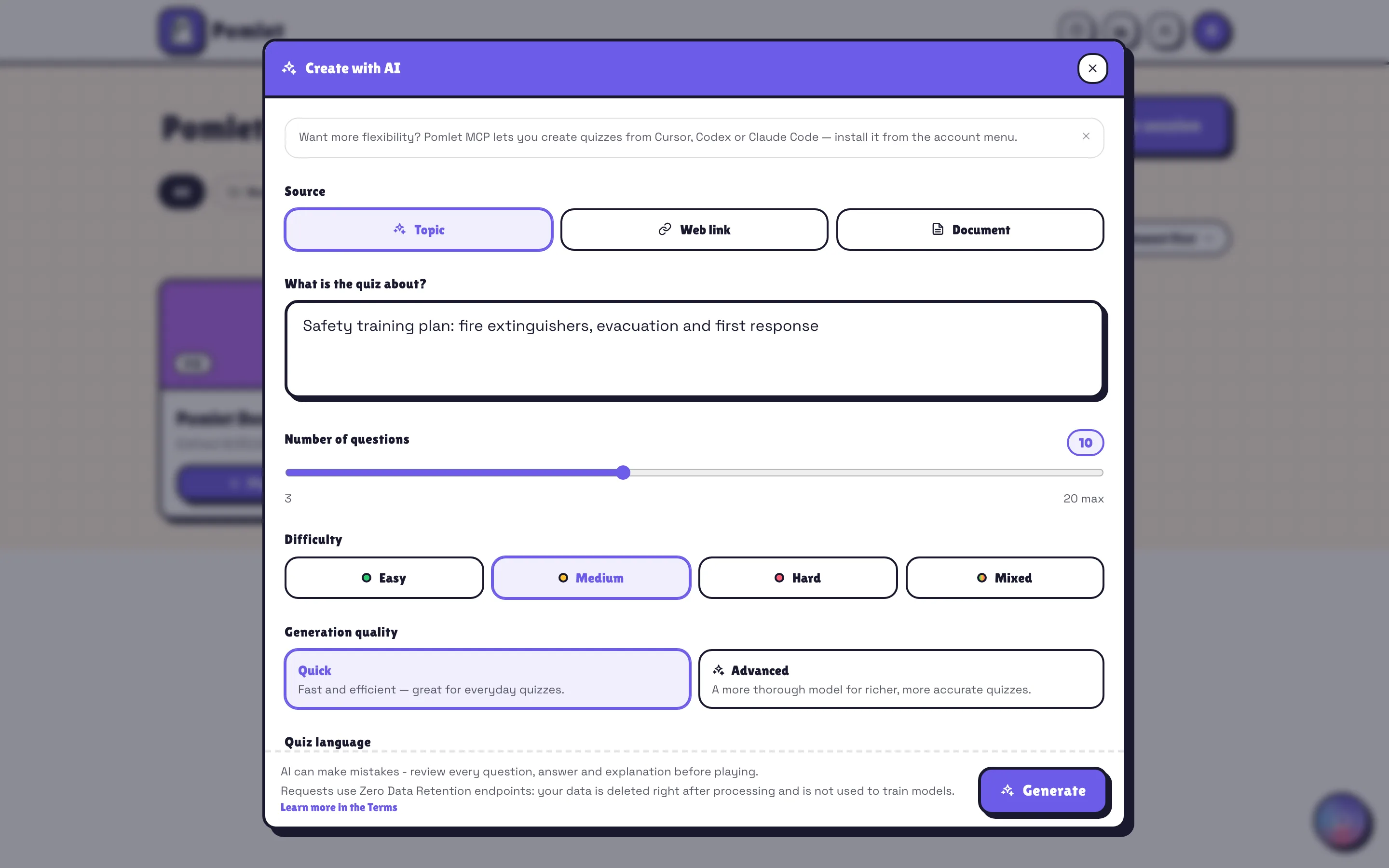
Type a topic or short notes with your instructions, add a web link or upload a text-based PDF of up to 8 MB.
Set the quiz
Pick one of 15 languages, a difficulty (easy, medium, hard or mixed) and between 3 and 20 questions per draft.
Review and edit
Check every correct answer and explanation, rewrite what needs it, then add images, polls or more questions.
Play or share
Host it live, in teams or in elimination mode, or let people practise at their own pace with a PIN or QR code.
What the generator does
Three kinds of sources
A topic or short notes, a web page or a text-based PDF of up to 8 MB. For a long document, the AI works from roughly the first 12,000 characters (a few pages), so upload the part that matters. Scanned PDFs without a text layer cannot be read.
Explanations included
Each question comes with a short justification of the correct answer, ready to show after the reveal.
15 languages
English, French, Spanish, German, Italian, Portuguese, Dutch, Polish, Russian, Turkish, Arabic, Japanese, Chinese, Korean and Hindi.
Difficulty you control
Choose easy, medium, hard or a balanced mix, and add instructions about tone, scope or level.
A normal, editable quiz
The draft becomes a regular Pomlet quiz: edit it, add other elements, play it again and share it with your organization.
From your AI assistant too
Connect Claude (on the web or in the desktop app), ChatGPT, Claude Code, Cursor, Codex or another app that supports remote MCP servers to Pomlet’s MCP server, then create quizzes from a conversation.
Ideas to try
- Turn a chapter summary into a ten-question review before a test.
- Check understanding after a training module from the PDF export of your slides.
- Prepare a themed quiz-night round in minutes, then add your own bonus question.
- Build a knowledge check for new colleagues from a public product page.
- Generate the same quiz in two languages for a mixed audience.
Tips for better AI quizzes
- Give a precise goal: “10 questions on the water cycle for 12-year-olds” works better than “water”.
- Verify every correct answer and explanation: AI can be wrong with great confidence.
- Only send material you are allowed to share, and never confidential documents or personal data.
- Add a poll or a word cloud between questions so the quiz becomes a conversation, not only a test.
Ready-made activities to start from
- Training recap: four questions to close a sessionClose a lesson or workshop with a takeaway, an application plan, a confidence scale and an open question. Ready-to-edit training recap template.
- Icebreaker questions for work: 60 ideas + template60 icebreaker questions for team meetings, new teams, remote calls and workshops, plus a ready-made session with a word cloud, a poll and open questions.
- Team onboarding: a first-week check-in templateWelcome a new colleague with five prompts about their role, learning preferences, priorities and missing access. Import and adapt the onboarding session.
Frequently asked questions
Is the AI quiz generator free?+
Yes. AI quiz generation is included in the Free plan within a monthly fair-use allowance. Pro includes a much larger monthly allowance and supports up to 1,000 participants.
Can it create a quiz from a PDF?+
Yes, from a text-based PDF of up to 8 MB. The AI works from roughly the first 12,000 characters of the extracted text (a few pages): for a long course, upload the relevant chapter. Scanned documents without a text layer are not supported.
What kind of questions does the AI write?+
Drafts use single-answer multiple-choice questions with 2 to 6 options and an explanation. You can then add true or false, multiple-answer, ranking, poll, word cloud or open questions yourself.
How many questions can I generate?+
Between 3 and 20 questions per draft. Generate again or add questions manually to build a longer quiz.
Explore other features
Try it with your next group
Create a free account, build your first session in minutes and invite people with a PIN or QR code.